What's inside a GWD file
A GWD file holds everything the designer made: the background and hand images, fonts, where each part sits, and the rules for what moves and when (hands, date, steps, battery). Galaxy Watch Designer compiled it into a package for Samsung's Tizen watches. On its own, the .gwd file doesn't run on any watch.
Why a new Galaxy Watch can't use it
From Galaxy Watch4, Samsung watches run Wear OS. Wear OS 6 watches (Galaxy Watch4 and newer on One UI 8 Watch, and Pixel Watch) only install faces made in Watch Face Format (WFF). Galaxy Watch Designer can't export Watch Face Format, and Tizen packages don't install on Wear OS. So downloading a GWD file gives you the design, but nothing your watch can open.
How GWD designs get onto Wear OS 6 watches
Each design has to be converted: its images, layout and moving parts are rebuilt as Watch Face Format, then checked on a Wear OS emulator. Watchland has done that for more than 1,000 faces. You pick a face in the app and it installs on your watch in two taps, without the GWD file, developer tools or sideloading.
Can I convert my own GWD file?
If you designed the face, open it in Samsung's Watch Face Studio, which makes Wear OS faces, and rebuild it there. If you didn't design it, the face belongs to its designer: use a version they've published for Wear OS, or one from a library like Watchland's that installs the converted face.
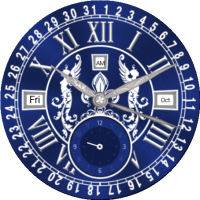 W-16
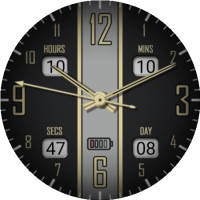 Classic Racing
 Space Trip Zero
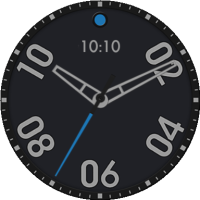 Nexus