The search for a premium look on your wrist
One of the best reasons to own a smartwatch like the Galaxy Watch or Pixel Watch is the ability to change its personality instantly. While digital faces are practical for the gym, many users want their device to look like a high-end timepiece during work or formal events. Finding a luxury watch face for Wear OS involves looking past the basic pre-installed options to find designs that focus on depth, lighting, and mechanical detail.
Luxury-style faces usually fall into a few categories:
- Dress Watches: Simple, elegant dials with slim markers and leather-style backgrounds.
- Chronographs: Multi-dial faces that show stopwatches, dates, and moon phases.
- Divers: Bold markers with high-contrast 'lume' for visibility.
- Open Heart / Tourbillon: Designs that show a simulated mechanical movement inside the watch.
How to find luxury styles in Watchland
Watchland makes it easy to find high-end aesthetics without scrolling through thousands of unrelated apps. The app features a curated catalog of nearly 1,000 faces, many of which are inspired by classic Swiss and Japanese designs.
To find these styles, open the Watchland app and look for collections like 'Everyone loves face collection', 'Seiko & Citizen', or 'Audemars Piguet'. You can also find intricate mechanical designs in the 'Hybrid' section. Because Watchland uses the modern Watch Face Format, these designs look sharp and photo-real rather than like flat drawings. Once you find a design you love, you can install it to your watch from your Android phone app in just two taps.
Key features of a high-quality luxury face
When you are searching for a premium design, look for these specific technical details to ensure the face feels high-quality once it's on your wrist:
- Depth and Shading: High-quality luxury faces use shadows and highlights on the markers and hands to create a 3D effect.
- Smooth Second Hand: Look for 'sweep' movement rather than a ticking motion to mimic automatic mechanical movements.
- Active Sub-dials: Ensure that the smaller dials (for battery, steps, or date) actually function and aren't just decorative pictures.
- Always-on Display (AOD): A luxury watch should never look like a black plastic circle. A good design will have a dimmed, battery-efficient AOD mode that keeps the dial visible.
Customizing your premium experience
Luxury is often about the details. Many premium faces allow you to change complications—the small data points on the screen. To maintain the luxury look, consider setting your complications to show:
- Moon Phase: A classic horological complication.
- Battery Percentage: Often styled as a power reserve indicator.
- World Clock: Perfect for the GMT or 'Traveler' watch aesthetic.
Coming soon to the app is an AI Face Creator, currently in closed beta for Premium members. This tool will allow you to describe a luxury face in your own words—like 'a gold chronograph with a green sunburst dial'—and generate a photo-real analog dial in seconds. These AI faces come with their own always-on mode and support working sub-dials and animated gears.
Installing and managing your collection
Once you have found your preferred luxury faces, managing them is simple. On Wear OS 4 and newer, you can switch between faces by long-pressing your current dial. If you use Watchland, your 'Favorites' list acts as a digital watch box, allowing you to swap between a 'diver' for the weekend and a 'dress watch' for a meeting in seconds. Always ensure your watch is updated to the latest version of Wear OS for the best compatibility with modern complications and battery-saving features.
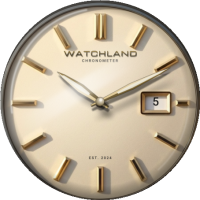 Afternoon Gilded
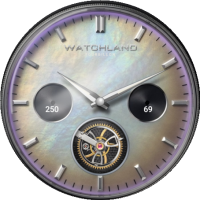 Opal Tourbillon
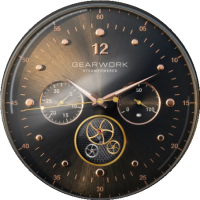 Brass & Cogs
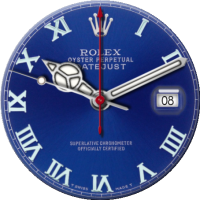 Datejust
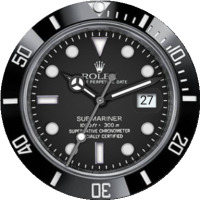 Submariner