The quickest way to find free watch faces
If you have a Samsung Galaxy Watch 4, 5, 6, 7, 8, or the Watch Ultra, you are running Wear OS. This means you have access to one of the largest libraries of wearable designs in the world. While many faces in the official store cost money, there are thousands of high-quality designs available for free if you know where to look.
To get started, you can browse the official Samsung collection inside the Galaxy Wearable app on your phone. However, if you want more variety—like luxury-inspired dials, minimal digital layouts, or artistic community creations—using a dedicated library app is often the better choice.
Using Watchland for free Galaxy Watch faces
Watchland is a dedicated platform designed to make finding and installing faces simple. Unlike the standard store where you have to download each face as a separate app, Watchland acts as a single catalog where you can browse and swap designs instantly.
- Download the app: Go to watchland.ca/get to get the Android companion app.
- Browse Collections: Open the app and explore categories like 'Digital Dreams' or 'Japanese Classics'.
- Sync to Watch: When you find a design you like, such as the 'Zen Stones' minimal face, tap the install button. It pushes the design to your watch in about two taps.
Watchland uses the modern Watch Face Format (WFF), which is the standard created by Google and Samsung. This ensures that the faces don't lag or drain your battery unnecessarily.
Customizing your watch for free
Getting a free watch face is only the first step. Most modern designs allow for 'complications'—small widgets that show your steps, heart rate, or the weather.
How to customize your new face:
- Long-press the current face on your Galaxy Watch.
- Tap Customize.
- Swipe through the available slots to change colors or the data shown in the sub-dials.
Many community designs in Watchland also support Always-on Display (AOD) mode. This keeps a dimmed version of your watch face visible even when your wrist is down, giving it the look of a traditional timepiece without a significant battery hit.
What to look for in a quality watch face
Not all free faces are created equal. When browsing for your next design, keep these three factors in mind:
- Legibility: Digital faces like 'Comic Burst' are great for quick glances, while complex analog dials like 'Orrery' offer a more sophisticated look.
- Battery Efficiency: Faces with true black backgrounds are better for the Galaxy Watch’s AMOLED screen because black pixels are essentially turned off, saving power.
- Format: Always prefer 'Watch Face Format' designs. These are native to Wear OS and perform much better than older, buggy formats.
Watchland curates its list of over 1,000 faces to ensure they meet these standards, so you don't have to worry about a free download slowing down your device.
Coming soon: AI-generated watch faces
The future of free customization is moving toward AI. Watchland is currently developing an AI Face Creator, which will allow you to describe exactly what you want—for example, 'a vintage diver watch with a teal dial and orange accents'—and get four unique designs in seconds.
These aren't just flat images; they are real Watch Face Format files with working hands and complications. While it is currently in internal testing and coming soon for Premium members, this feature will eventually allow any user to create their own perfect face without needing design skills.
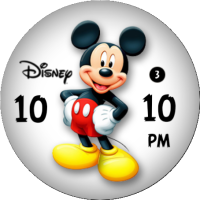 Mickey Mouse