Why Choose a Digital Watch Face?
Digital watch faces are a popular choice for Galaxy Watch users because they offer immediate readability. Unlike traditional analog hands, a digital display allows you to see the exact time, date, and your health metrics at a glance.
Many users prefer digital layouts because they maximize the screen real estate of the Galaxy Watch. You can often find 'complications'—the small widgets for weather, heart rate, or battery percentage—arranged more logically around a digital clock than a circular analog dial. Because modern Samsung watches use OLED screens, digital faces with dark backgrounds are also excellent for preserving battery life.
Finding the Best Digital Styles
When you are looking for digital watch faces for your Galaxy Watch, you will generally find three main categories:
- Minimalist: These focus on large, bold typography for the time and very little else. They are ideal for a clean look and saving power.
- Sport & Fitness: These prioritize your step count, active calories, and heart rate, often using vibrant colors to highlight your daily progress.
- Retro & Classic: Many creators design faces that mimic the look of iconic digital watches from the 80s and 90s, such as the classic Casio styles.
Watchland offers a curated 'Digital Dreams' collection that brings these styles into one place, making it easier to browse than searching the standard Play Store manually.
How to Install New Digital Faces
Installing a new look for your watch is a straightforward process. Follow these steps to refresh your device:
- Download the Watchland App: Open the Google Play Store on your Android phone and install Watchland.
- Browse the Collections: Open the app and look for the 'Digital Dreams' or 'Hybrid' categories to find digital layouts.
- Select Your Face: Tap on a design you like. You can see how it looks on real devices via the 'On the wrist' community photos.
- Sync to Watch: Tap the install button. Ensure your Galaxy Watch is connected to your phone via Bluetooth.
- Set as Active: Once the transfer is complete, you can switch to the new face directly from the app or by long-pressing your current watch screen.
Customizing Digital Complications
One of the best parts of digital watch faces is the ability to customize what information is shown. Most high-quality faces built for Wear OS allow you to swap out default data points.
For example, if a face shows the weather but you would rather see your daily step goal or heart rate, you can usually tap and hold the screen, select 'Customize,' and pick the data that matters to you. Watchland faces use the official Watch Face Format (WFF). This ensures that these complications stay updated in real-time and work natively with the Galaxy Watch sensors without draining your battery excessively.
Troubleshooting Installation Issues
If your new digital face isn't appearing after installation, check these common fixes:
- Check Bluetooth: Verify that your phone's Bluetooth is on and the Galaxy Wearable app shows your watch as 'Connected.'
- Check Compatibility: Ensure you are using a Galaxy Watch 4, 5, 6, 7, or 8. Older Samsung watches (Galaxy Watch 3 and earlier) use Tizen OS and are not compatible with the Wear OS faces found in Watchland.
- Update the Watch: Sometimes the watch-side Google Play Store needs a manual update to sync new downloads properly.
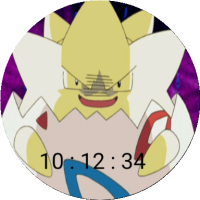 Pokemon Clock