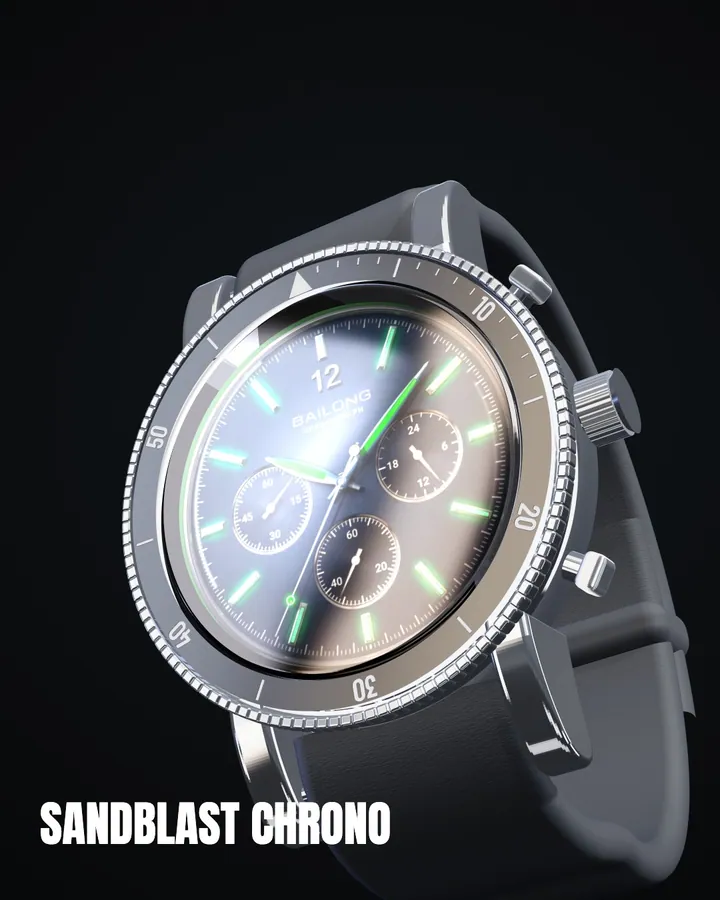
Promo codes for a paid face
Give your paid face away to reviewers or a giveaway with Google Play promo codes.
4 min5 stepsA paid app on Google Play
Promo codes are made by Google Play in your own Play Console. Watchland isn’t involved; these are the steps and screens as they were on 2026-11-26.
-
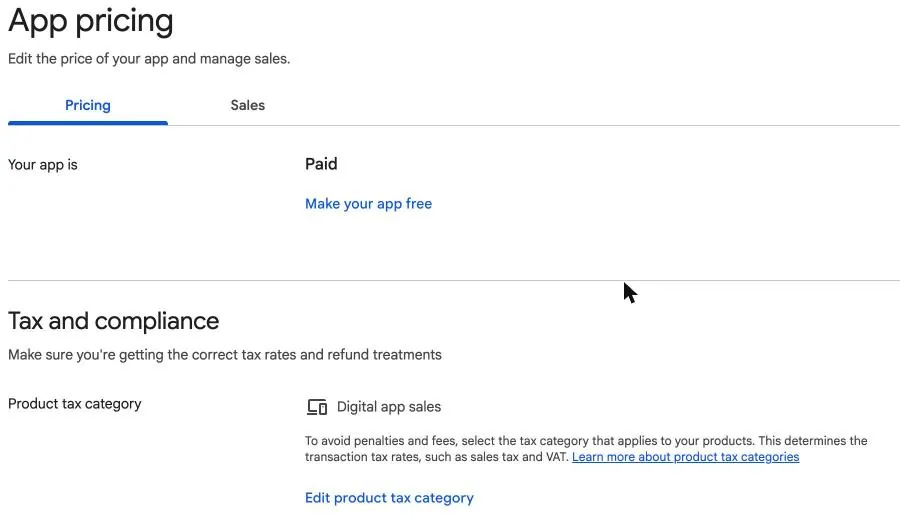
Step 1: The app must be paid
Promo codes for an app only work on a paid app. Check it in Monetize with Play › App pricing: “Your app is Paid”. A paid app needs a payments profile.
-
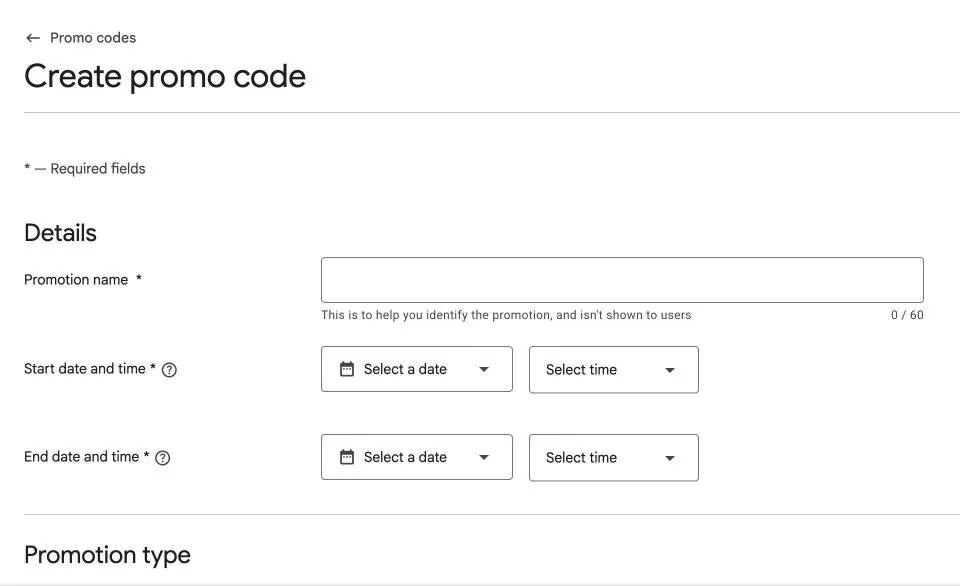
Step 2: Create a promotion
Open Monetize with Play › Promo codes and press Create promo code. Give it a name (only you see it), a start and an end. Console times are UTC.
-
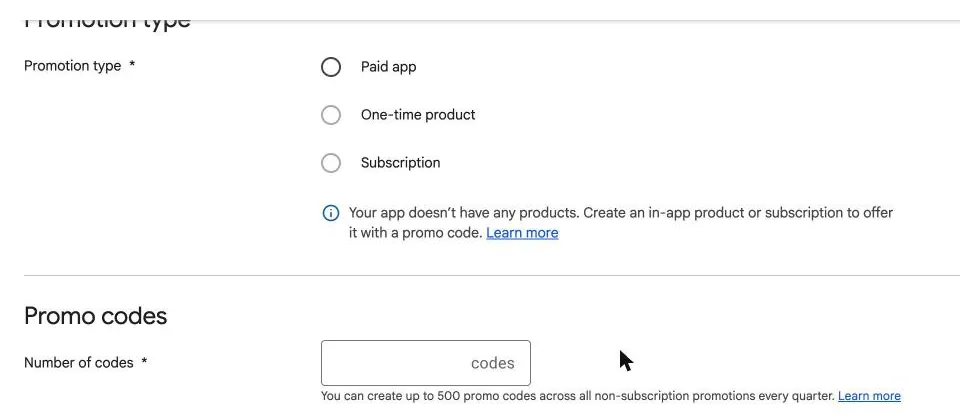
Step 3: Paid app, and how many
Choose Paid app as the type and enter the number of codes. Each app can make up to 500 codes a quarter across these promotions, so make only what you’ll hand out. Press Save.
-
Step 4: Download the codes
Back on Promo codes, the download arrow beside the promotion saves a CSV file with one code per line. Keep it private: anyone with a code can use it. The list also shows how many have been redeemed.

The redeemed count is blurred here. -
Step 5: Give one code per person
Send each person their own code, by direct message or email. Don’t post codes publicly: they go to bots first. Track who got which.
People redeem on their phone in Google Play › profile picture › Payments & subscriptions › Redeem code, or at play.google.com/redeem. The face then installs like a bought one.